 Canada

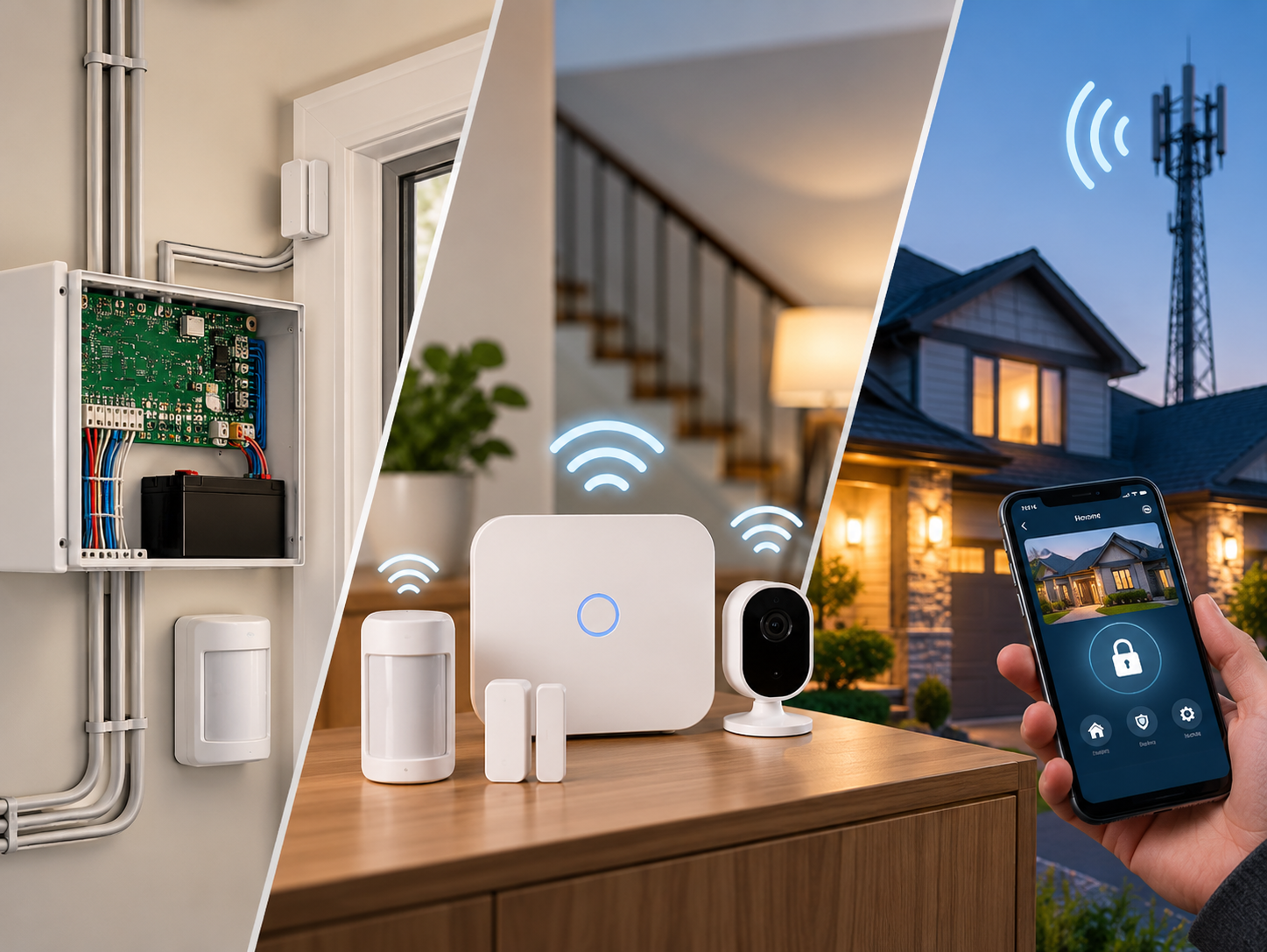
Go to Google and type in the phrase "types of home alarm systems" and you will see all kinds of labels: monitored, monitored, monitored, smart, smart, hybrid, monitored, monitored, hybrid. Some of the clutter is due to the fact that these labels refer to different concepts. The sensors connect with "Wired," the alarm transmits the signal with "cellular," and who responds with "monitored. This is because they are mixed up, making it difficult to make accurate comparisons between systems.
This guide categorises the types into three easy-to-digest questions, making it easy that you understand where each option fits in. Learn more about the basics with our home alarm system guide—discover parts and the step-by-step operation.
The Three Questions That Define an Alarm System
All home alarm systems have a response to three questions:
- What type of connection do the sensors have with the control panel? Wired/ Wireless / Hybrid (or combination)
- What kind of mechanism is used to get the alarm's message out? (land line, internet, cell phone or all three)
- Who answers the telephone when it rings? A monitoring centre, or you or the siren.
Any system can be wireless, cellular and professionally monitored. Once you realize it from that perspective, it will be much easier to make your choice.
Question 1: How Do the Sensors Connect?
Wired Alarm Systems
A wired system is one in which cables connect the control panel to all the sensors, sirens and keypads. It is powered by those cables and receives its signal.
Strengths
- No sensor batteries to replace
- Not affected by wireless interference
- Very steady, dependable connections
Drawbacks
- Invasive installation: Cables are required to go through walls, ceiling and floor.
- Installing a device later, may mean adding more cable runs.
- Ideal for new construction or extensive remodeling projects
Ideal for: new homes, homes with large spaces and home renovations where walls are already open.
Wireless Alarm Systems
Radio signals between sensors and control panel are utilized in wireless systems. The panel keeps an eye on all sensors and notifies it if any of the sensors goes out of order or if its battery dies.
Strengths
- Easy to install, and sometimes no drilling is required.
- Easy to expand: Add a sensor in minutes
- Ideal for existing homes, condos & rentals
- May easily be relocated to another home
Drawbacks
- Cold weather will reduce the life of the sensor batteries, and they must be replaced periodically.
- The signal may be poor though if the house is very large or the walls are thick enough, it may require a repeater.
- Budget equipment may be more susceptible to interfering.
Great for: homeowners, condo owners, apartment dwellers and those who need flexibility.
Hybrid Alarm Systems
Both are combined in a hybrid system. Hard-wired devices are installed where cabling is easy and/or essential, and wireless devices are installed where cable is not feasible. They are all subject to a single panel.
Strengths
- Practices a balance of reliability and flexibility
- Allows you to add wiring to a partially wired house while keeping walls closed up
- Expands to fit your home's needs
Drawbacks
- Slightly more complex to design and program
- Requires planning in order to ensure that the two parts are integrated and function effectively.
Ideal for: homes in need of partial renovations, larger properties and systems that you plan on expanding in the future.
Wired vs. Wireless vs. Hybrid at a Glance
| Factor | Wired | Wireless | Hybrid |
|---|---|---|---|
| Installation | Invasive, usually professional | Quick, DIY-friendly | Moderate, often professional |
| Battery upkeep | Minimal | Regular | Partial |
| Expandability | Harder | Easy | Flexible |
| Reliability | Very high | High, depends on signal | High |
| Best for | New builds, renovations | Existing homes, rentals | Growing or mixed-use homes |
Question 2: How Does the Alarm Send Its Signal?
This is something most guides overlook, as it can make or break whether an alarm will get heard or not. An alert without anyone at home is of little use, but a siren could help.
Landline Communication
Older systems use a standard phone line to alert. Easy, but requires a landline (which can be broken or cut) and many homes don't have a landline in the first place.
Internet (Wi-Fi/Broadband) Communication
A large number of modern systems are based on your home internet. It's quick, and works with the features of your apps, and video, but it's as reliable as your router, internet service, and power. If any of those drop, the alarm will not be able to report.
Cellular Communication
Cellular alarm alarms have a tiny cellular radio, similar to a stripped down cell phone. It communicates through the mobile telecommunications system, and is not dependent on your phone line or home internet.
Strengths
- Works when Wi-Fi or the landline is down
- Can't be disabled by cutting a cable or switching off a router
- Often the preferred route for professionally monitored systems
Drawbacks
- Typically charges a low monthly fee
- Requires mobile network coverage, as can be weaker in rural areas or in a basement setting
Dual-Path Communication
Two options are the most reliable—usually internet as the primary connection with cellular as a backup, or the reverse—that way, there's a backup in case one of the connections fails. In the event of failure, the other one assumes the task. For Canadian homeowners, who can find their power and internet outages during the worst times of the year because of winter storms, dual path communications is something that is worth the price.
Signal Paths Compared
| Communication Type | Reliability | Works Without Internet? | Best For |
|---|---|---|---|
| Landline | Moderate, vulnerable to cut lines | Yes | Older systems and homes that still have one |
| Wi-Fi/broadband | Good, depends on router and power | No | Smart features and video |
| Cellular | High | Yes | Monitored systems, outage resilience |
| Dual-path | Highest | Yes | Anyone who wants maximum reliability |
Question 3: Who Responds When It Goes Off?
Professionally Monitored Alarm Systems
After activation of the alarm, the alarm signal is sent to a staffed monitoring centre. An Operator tries to call you, confirms the alarm with video or safe word and, if required, notifies the Emergency Services. Typically, it will be available for use during the night, at work, and on vacation, and you'll have to pay for it on a monthly basis.
Self-Monitored Alarm Systems
Warning notifies you on a cell phone and you can choose to call someone. It is inexpensive, and will be effective if you are always available and feel comfortable with making that call. There is a cost to exchange, though, and that's if you don't receive the notification, you won't be able to view it.
Unmonitored (Local) Alarm Systems
The alarm will sound an alarm siren and flash lights but not alert anyone outside the home. It depends on you, neighbours or passers-by to notice. It is the most basic and least expensive, and the least protection when you're away.
A Fourth Label: Smart Alarm Systems
"Smart" is not a connection type, or a monitoring type. It talks about systems that offer the basic features of arming from a phone, notifications, integration with cameras, door bells, smart locks and lights, and more. The majority of smart systems are either wirelessly or cell telecommunication-based and can be professionally monitored or self-monitored.
When comparing smart add-ons, be sure that they will need the internet to operate, and that some add-on features will need a subscription. Before you start a system that requires extras, it's more useful not to have.
Putting It Together: Common Combinations
| Home Situation | Typical Setup |
|---|---|
| Condo or apartment | Wireless sensors, Wi-Fi or cellular, self-monitored or professionally monitored |
| New build or major renovation | Wired or hybrid sensors, dual-path communication, professionally monitored |
| Existing detached home | Wireless or hybrid sensors, cellular backup, professionally monitored |
| Large home or property with outbuildings | Hybrid sensors, dual-path communication, professionally monitored |
| Budget-first starter system | Wireless sensors, Wi-Fi, self-monitored, with an upgrade path later |
Which Home Security Alarm System Do You Need?
Solve the following problems in turn:
- Can you run cable? Wired or hybrid might be a good option if you have an open wall or are constructing a new wall. Otherwise, wireless will be the solution.
- What is the signal's reliability requirement? For those wishing to report during outages, Cellular or Dual-path is the alarm type to select.
- Who will respond? When no one can be counted on to take action on alerts 24/7, opt for professional monitoring.
- Would you like any intelligent options? Use them as additions and not a substitute for a foundation.
- Have you considered moving, or expanding? Wireless and Hybrid systems adjust more readily.
Our guide on DIY vs. professional home security installation will let you know about the pros and cons of installing yourself.
Final Verdict
The term "home alarm system" doesn't specify the type of alarm system that is the "best." The type of home alarm system that's often referred to will only address one piece of the puzzle. Think about the wired/wireless/ hybrid sensors, the ways to deliver the information (landline, Internet, cellular, all of the above), and the monitoring type of response (monitored, self-monitored or local). For most Canadian homes, the most flexible and reliable backup and monitoring solution is a wireless/hybrid system that includes cellular backup and professional monitoring.
At United Security, not only will we design the home alarm system for your property so the type of sensor, communication path and monitoring level will be the right fit for your property, and not a one-size-fits-all package.
Not sure which alarm system fits your home? Contact us at 1-800-466-3348 to speak with a security specialist today from United Security and get a free, no-obligation consultation.