 Canada

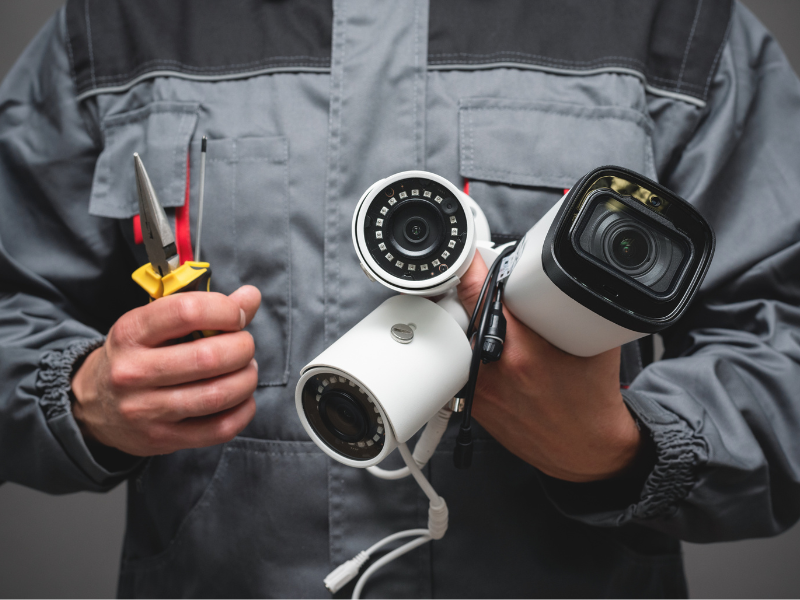
In 2026, home and business security is no longer just about hanging a camera on a wall; it's about building an intelligent, interconnected surveillance ecosystem. With major advancements in AI analytics, Edge Computing, and universal smart home protocols, the security landscape has evolved dramatically.
Whether you are tackling this as a DIY weekend project or mapping out a blueprint for a professional deployment, this definitive guide provides the exact steps and hidden technical insights you need.
1. Planning: The Strategic Blueprint (The DORI Standard)
Before buying hardware or drilling holes, professionals rely on the DORI standard to plan camera placement. This critical framework is often overlooked by generic installation guides, making it your secret weapon for a superior setup:
- Detection: Determining if a person or object is present (Requires a wide-angle lens, lower pixel density).
- Observation: Monitoring general characteristic details, such as clothing or crowd movement.
- Recognition: Determining with high certainty whether the person visible is someone you have seen before.
- Identification: Providing legally admissible proof of identity, including distinct facial features and license plates (Requires high Pixels Per Inch/PPI).
Pro Tip: In 2026, 4K (8MP) resolution has officially become the baseline standard for residential and commercial security. 1080p is now considered legacy technology.
2. Camera Selection: Choosing the Right Form Factor
Selecting the right physical body type changes how your system performs over time:
- Turret (Eyeball) Cameras: The top choice for 2026. Because they lack a large glass dome housing, they completely eliminate "IR reflection" (foggy night vision caused by dust or moisture on the glass).
- Bullet Cameras: Ideal for long-range perimeters and driveways. Their prominent shape acts as a highly visible, physical visual deterrent.
- 360° Fisheye Cameras: Perfect for expansive indoor areas, hallways, or open commercial spaces where you want total situational awareness without installing multiple units.
3. Step-by-Step Installation Guide
Step 1: Pre-Configuration (The Golden Rule)
Never mount a camera before configuring it. Bring your NVR, switches, and cameras into a comfortable indoor workspace. Power them up, update to the latest firmware, assign secure passwords, and pair them with your mobile app first. Troubleshooting software issues on a ladder is a safety hazard.
Step 2: Optimal Mounting Height
Position your cameras between 8 to 10 feet off the ground.
- Too high: You will only record the tops of people's heads, rendering facial recognition analytics useless.
- Too low: Your physical hardware becomes vulnerable to tampering, vandalism, or blindfolding.
Step 3: Weatherproof Cabling & "Drip Loops"
For 2026 professional deployments, PoE (Power over Ethernet) via solid copper Cat6 cabling is the gold standard for stability. When running cable from the outside into a junction box or wall, always create a Drip Loop (a small downward U-shape loop in the wire). This forces rainwater to drip off the bottom of the wire rather than tracking directly into your electrical connections.
Step 4: Storage Infrastructure (Local vs. Hybrid Cloud)
- Local NVR (Network Video Recorder): The ultimate choice for data privacy, instant playback speed, and zero monthly subscription fees.
- Hybrid Cloud: The modern 2026 deployment method. Video is stored locally on a hard drive, but high-priority AI event alerts and snapshots are instantly backed up to an encrypted cloud server.
4. Next-Gen Features for a Future-Proof Setup
Matter and Thread Integration
Modern security cameras no longer operate in a silo. Under current smart home standards, if an outdoor perimeter camera spots an intruder, it instantly communicates with your smart lighting mesh network to flood the yard with light and lock your smart deadbolts.
Cyber-Physical Security
Physical security is useless without digital protection. Always change default admin credentials immediately, isolate your security network on a separate VLAN, and enforce Two-Factor Authentication (2FA) on all monitoring applications to prevent unauthorized stream access.
Behavioral Analytics vs. Legacy Motion Detection
Older systems trigger annoying false alarms from blowing leaves or passing cars. 2026 hardware relies on edge-AI to track loitering behavior — alerting you only if a person remains stationary in a designated zone for an unusual duration.
5. Technology Standards Comparison
| Feature | Legacy Standard | 2026 Professional Standard |
|---|---|---|
| Baseline Resolution | 1080p / 2K | 4K / 8K Ultra HD |
| Connectivity | Wi-Fi 5 / Basic PoE | Wi-Fi 6E / PoE+ (Cat6) |
| AI Capabilities | Simple Motion/Human Sensing | Behavioral Analytics & Facial Identification |
| Ecosystem | Proprietary Standalone Apps | Universal Matter & Thread Interoperability |
Essential Maintenance Checklist (The 6-Month Rule)
Surveillance systems are not "set it and forget it" investments. Run through this checklist twice a year:
- Lens Maintenance: Use an anti-static microfiber cloth and specialized lens cleaner to remove cobwebs, water spots, and dust.
- Storage Health Check: Verify your NVR hard drives are performing healthy overwrite cycles and aren't displaying sector errors.
- Firmware Verification: Patch critical vulnerabilities by keeping camera software aligned with manufacturer updates.
Conclusion
Successfully installing a modern security camera system requires a balance of solid physical mounting, proper network architecture, and fine-tuned AI software settings. Additionally, always make sure to consult your municipal ordinances regarding privacy boundaries and local permit requirements before finalizing your camera angles.
Ready to install a professional security camera system? Contact United Security at 1-800-466-3348 to schedule a professional security assessment. Our experts will help you design and deploy the right surveillance solution for your home or business.