
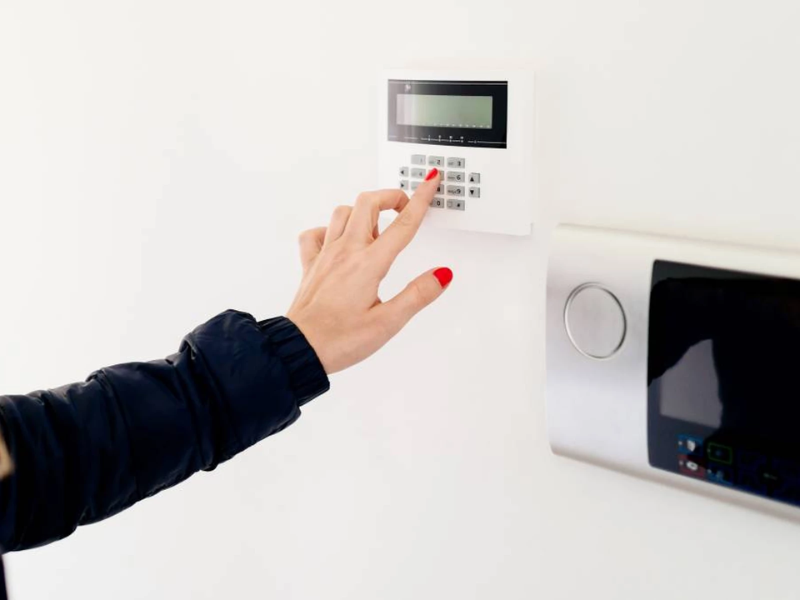
Choosing a home alarm system is as much about safety as it is about budgeting. The cost to install a home alarm system varies widely depending on whether you choose a DIY kit or a professionally installed package, the number and type of sensors and cameras you want, and whether you add professional monitoring.
Choosing the best home security systems involves comparing different installation methods, equipment options, monitoring levels, and system types. This guide provides clear, practical details to help you understand typical price ranges, installation differences, and the long-term costs involved. With this information, you can easily evaluate multiple system options and make a confident, well-informed decision for your home's security.
Typical Price Ranges
Costs fluctuate by brand, region, and service plan, but here's a practical, quick view to set expectations:
DIY kits: Often start around $130 for a basic starter kit that includes a hub, a couple of door/window sensors, and perhaps a motion sensor. These kits tend to be cheaper up front but may have fewer features.
Professional installation (standalone): If you hire a technician just to install hardware without a monitoring plan, expect something around $100–$450, depending on complexity. Some companies charge a modest flat fee; others charge more for running wires or placing multiple cameras.
Wired systems: Can carry higher installation costs—sometimes in the $800–$1,600 range—because routing cable through walls/floors usually requires a pro.
Bundled professional packages: Many monitored plans bundle "free" installation into the contract, or offer "installation included" as a promotional feature; in other cases, a professionally installed starter package might begin around $499 plus monthly fees.
Monthly monitoring fees: For professional monitoring, you'll typically see monthly costs from roughly $10 (basic/self-monitoring or app-based) up to $65+ for 24/7 professional monitoring with video, smart-home integrations, and response services.
These numbers are approximate and intended to give you a working range for budgeting. Exact prices depend on brand, location, and features.
DIY vs. Professional Installation Costs
| Installation Type | Equipment Costs (Upfront) | Installation Fees | Monitoring Fees (Monthly) |
|---|---|---|---|
| DIY (Do-It-Yourself) | $130 - $500+ for a starter kit | $0 (you install it yourself) | $0 (self-monitored) or $4 - $20 (basic features/video storage) |
| Professional | $200 - $2,000+ | $99 - $500+ (some companies offer free installation with a contract) | $20 - $80 per month for 24/7 professional monitoring |
Factors That Influence the Cost
How much you pay ultimately depends on a handful of practical factors. Below are the main influences, each in a short, clear paragraph so you can skim and compare.
System Type – Wired vs. Wireless
Wired systems generally require more labor and materials because a technician must run cabling through walls, ceilings, and junction boxes. That increases the installation bill but can provide a very stable connection. Wireless systems reduce installation labor and have lower upfront install costs, but many add recurring monitoring or cellular backup fees.
Equipment Quantity and Quality
The number of door/window sensors, motion detectors, glass-break sensors, smoke and CO detectors, indoor/outdoor cameras, smart locks, and keypads will raise equipment costs. High-resolution cameras, pan-tilt-zoom units, or devices with two-way audio add more cost than basic sensors.
Features and Integrations
If you want smart-home features like Z-Wave or Zigbee integrations, voice assistant support, home automation routines, or video recording to cloud storage, those features typically increase both equipment cost and monthly fees for cloud storage or professional advanced monitoring.
Monitoring Level and Contract Length
Self-monitoring (app-based) is typically the cheapest recurring option. Professional monitoring (where a central station dispatches emergency services) costs more per month but adds peace of mind. Contracts sometimes subsidize equipment installation in exchange for a multiyear commitment.
Labor, Geographic Location, and Complexity
Labor rates vary regionally. An easy suburban installation will cost less than a complex multi-story or older home where access is difficult. Homes with finished basements, brick exteriors, or unique layouts may require more labor and extra materials.
Permits and Add-On Services
Some localities require permits for certain types of wiring or camera installation. Additional services like mounting cameras on tall poles, trenching for outdoor cable, or adding battery backups add to the bill.
Feature Comparison
| Feature | DIY Installation | Professional Installation |
|---|---|---|
| Upfront Cost | Lower (typically $130 - $500 for equipment) | Higher (typically $300 - $4,000+ total) |
| Installation Fees | $0 (user performs installation) | $99 - $500+ (sometimes waived with long-term contracts) |
| Monthly Fees | Optional ($0 for self-monitoring; up to $20 for basic app/video features) | Required for 24/7 monitoring ($20 - $80 per month) |
| Flexibility | High (easy to move, no contracts) | Low (often requires a multi-year contract) |
| Control & Responsibility | Full user control; the user is responsible for contacting emergency services | System is monitored 24/7 by a service; the company contacts emergency services |
| Ideal For | Renters, tech-savvy homeowners, and budget-conscious individuals | Homeowners seeking convenience, comprehensive coverage, and peace of mind |
Breaking Down the Cost — Equipment, Installation, and Recurring Fees
When budgeting, think of your home alarm spend in three buckets: equipment, installation, and monthly. Each bucket can vary a lot.
Equipment Cost
Basic hubs, sensors, and a single indoor camera can be inexpensive if you buy an entry-level DIY kit. Upgrading to multiple cameras, glass-break sensors, smart locks, and environmental sensors (smoke, CO, flood) will push equipment costs higher. Professional grade sensors and cameras often cost more per unit than consumer grade DIY items.
Installation Cost
This is where wired systems usually differ dramatically. Running wires and drilling through surfaces adds labor. If a technician must conceal wiring, install recessed contacts, or mount cameras on high eaves, time and materials go up. Wireless installations typically reduce or eliminate this labor cost.
Monthly Fees and Add-Ons
The recurring costs are important to plan for. Basic app-only plans for DIY systems can be almost free or under $10/month. Professional monitoring typically costs more, and premium video storage, rapid response, or cellular backup increases monthly bills. Some vendors also charge for cloud video storage per camera or per gigabyte.
How to Estimate Your Total Cost
1. Inventory needs: Count exterior doors, first-floor windows, main living areas, and the number of cameras you want.
2. Choose system type: Decide wired vs. wireless and whether you prefer DIY or a pro install.
3. Add equipment prices: Multiply sensor/camera counts by average unit costs (use manufacturer sites for current prices).
4. Estimate installation labor: For pro installs, use the typical $100–$450 range for simple installs; for complex wired work, budget higher (several hundred to over a thousand).
5. Monthly monitoring: Decide on self-monitoring vs. professional monitoring and add a monthly estimate ($10–$65+).
6. Contingency: Add a 10–20% buffer for surprises like extra wiring or hardware.
This gives a working budget rather than a precise quote—use it to compare proposals from vendors.
Example Scenarios
Entry-Level DIY (Budget-Conscious)
Buy a starter kit (~$130–$250) with 3–5 sensors and a hub; self-monitor via an app with optional cloud video for a small monthly fee. Install yourself in a few hours.
Mid-Range Wireless with Some Professional Help
Wireless hub + 6–10 sensors + 2–3 cameras. Equipment might total $400–$900. Pay a technician $100–$300 for setup, optimization, and system testing. Monthly professional monitoring might be $20–$40 if you choose it.
Fully Wired, Professionally Installed System for a Large House
Hardware and cabling plus running wires through walls could put installation in the $800–$1,600 ballpark, equipment could be $1,000+, and professional monitoring $30–$65+/month. This is the highest upfront cost but often the most durable setup.
Questions to Ask Before Signing Any Contract
- Is installation included or extra? Some monitored plans offer free installation if you sign a long-term contract. Others charge a standalone installation fee.
- What's the length and penalty of the monitoring contract? Know the cancellation terms and early termination fees.
- Are there hidden fees? Ask about activation fees, permit fees, or monthly taxes on service.
- What happens during a power outage or internet outage? Check whether the system has cellular backup or battery support.
- How is video stored? Understand whether cloud storage is included and for how long; per-camera storage fees can add up.
- Who handles maintenance and repairs? Find out if maintenance visits cost extra and whether equipment warranties are included.
Practical Tips to Reduce Installation Costs
Start small and expand later: Begin with essential sensors and add cameras/sensors over time—particularly easy with many wireless systems.
Look for bundled deals—but read the fine print: "Free installation" may lock you into higher monthly terms. Calculate the total 2–3 year cost before committing.
Consider hybrid approaches: Use DIY products for indoor sensors and hire a pro for camera placement or tricky outdoor wiring.
Negotiate: Some companies will match competitor offers or reduce installation costs if you commit to a reasonable monitoring plan.
Do basic prep yourself: Clearing mounting areas or identifying where you want devices can reduce the technician's time and lower labor costs.
Maintenance, Upgrades, and Long-Term Cost Considerations
A one-time installation price doesn't tell the whole story. Expect to replace batteries, occasionally update firmware, and perhaps upgrade cameras after several years to keep up with higher resolutions and new features. If you choose professional monitoring, monitor reviews of the monitoring provider periodically to ensure ongoing quality of service.
Final Decision Framework
If your priority is the lowest upfront cost and flexibility, DIY home alarm systems are attractive. They let you avoid long contracts and install at your own pace. If you prefer a turn-key, reliable solution with professional testing, secure wiring, and full-service support, professional installation with monitoring tends to be the better fit—while costing more initially and in monthly fees. Consider house size, the number of access points (doors/windows), desired camera coverage, and whether you want integrated smart-home features when deciding.
Ready to Secure Your Home?
Don't leave your family's safety to chance. Request a quote to explore current offers and detailed package information, or call 1-800-466-3348 to speak with a security specialist today.
Ready to secure your property? Contact 1-800-466-3348 to speak with a security specialist today and get a custom quote for your CCTV installation.
Canada