 Canada
Video surveillance has moved far beyond simple cameras that record footage nobody watches. Today, it's a critical layer of both physical and digital security — and if it isn't set up correctly, it can become the weakest link in your entire security strategy. This guide breaks down what secure video surveillance really means, how it works, and the exact steps you need to lock down your system.
What Is Secure Video Surveillance?
Secure video surveillance is a system designed to protect not just your property, but the footage and infrastructure behind the cameras themselves. It combines encryption, access controls, and reliable storage so that video is only visible to authorized people — and never lost, tampered with, or intercepted.
Unlike a basic CCTV setup that just records and stores clips locally, a secure system is built to resist unauthorized access, data breaches, and hardware failure at every stage: capture, transmission, and storage.
Why It Matters More Than Ever
The stakes have gone up. Cameras are now internet-connected, which means they're exposed to the same risks as any other device on your network. A poorly secured camera isn't just a blind spot — it's an open door.
Physical breaches remain a bigger threat than most people assume. Verizon's Data Breach Investigations Report found that physical actions played a role in a notable share of breaches, and many cyberattacks start with some form of physical access or reconnaissance. That means your camera system isn't a side project for IT — it's core infrastructure.
How Secure Video Surveillance Works
A secure system generally has four working parts:
- Cameras — capture footage at entry points, perimeters, and sensitive areas.
- Network/transmission — moves video from camera to storage, ideally encrypted end-to-end.
- Storage — local (NVR/DVR), cloud, or hybrid, protected with access controls.
- Management software — lets authorized users view, search, and export footage, while logging every action.
The security of the whole chain depends on the weakest link, so each stage needs its own protection rather than relying on one layer alone.
Key Features That Make a System Actually Secure
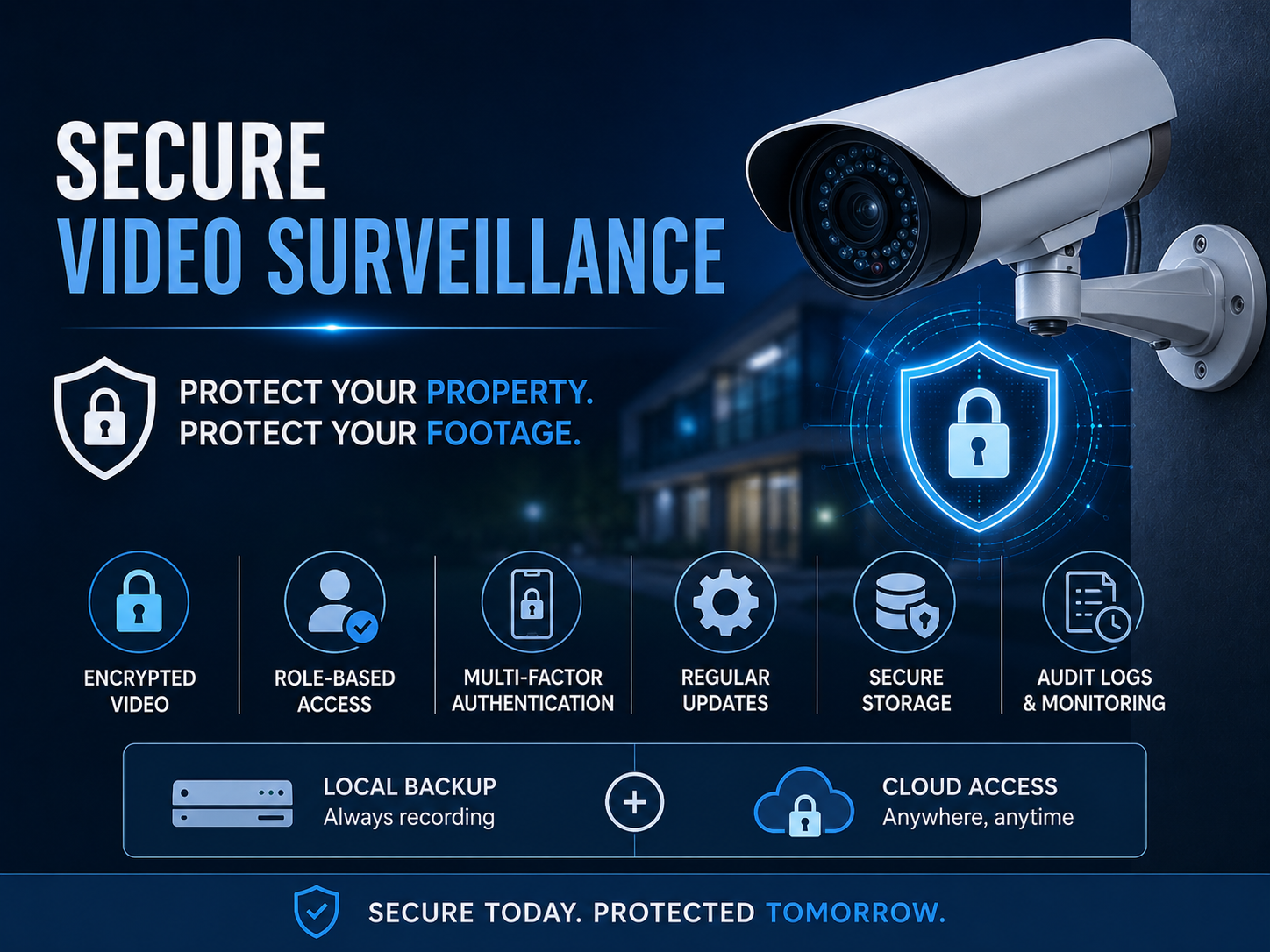
- End-to-end encryption — protects video during transmission and while it's stored, so intercepted footage is unreadable.
- Role-based access control — gives each user only the permissions they need, instead of blanket admin access.
- Multi-factor authentication (MFA) — adds a second verification step beyond just a password.
- Regular firmware updates — patches known vulnerabilities before they can be exploited.
- Unique, non-default passwords — changed on a set schedule, since default credentials remain one of the most common entry points for attackers.
- Audit trails/event logs — records who accessed what footage and when, which also supports compliance requirements.
- Peer-to-peer or zero-trust transmission — some modern systems route video directly between camera and viewer, bypassing a central server that could be a single point of failure.
Cloud vs. On-Premises: Which Is More Secure?
| Factor | On-Premises | Cloud-Based |
|---|---|---|
| Control | Full local control | Managed by provider |
| Remote access | Limited, needs setup | Built-in |
| Update management | Manual | Automatic |
| Outage resilience | Footage stored locally | Needs hybrid local backup |
| Scalability | Harder across locations | Easier, centralized |
Most organizations today land on a hybrid model — cloud for remote access and centralized management, with local recording as a backup so footage isn't lost if the internet drops.
7 Best Practices for a Secure Video Surveillance System
- Change every default password immediately after installation.
- Put cameras on a separate, isolated network (VLAN) away from everyday devices.
- Enable MFA on every account with access to live feeds or archives.
- Keep firmware and software updated on a defined schedule, not just when you remember.
- Review access permissions quarterly and remove accounts no longer in use.
- Choose vendors that are transparent about where footage is stored and who can access it.
- Test your backup and failover process before you actually need it, not after.
Choosing a System: What to Check Before You Buy
Before committing to a provider, confirm the following:
- Does the vendor support end-to-end encryption by default, or is it an extra add-on?
- Can you set granular, role-based permissions instead of one shared login?
- What happens to footage if internet connectivity drops — is there local backup?
- Is the system compliant with relevant standards for your industry (HIPAA, ISO 27001, NDAA, etc.)?
- Are firmware updates automatic, and how quickly does the vendor patch known vulnerabilities?
- Can you export a full audit log if you're ever asked to prove chain of custody?
Industry-Specific Considerations
- Healthcare & data centers — need audit trails and access logs to meet HIPAA/ISO 27001 requirements.
- Retail — benefits most from AI-based analytics (theft detection, foot traffic) layered on top of secure storage.
- Multifamily & commercial real estate — remote, cloud-based access is often the priority for property managers overseeing several sites.
- Regulated industries (e.g., cannabis, finance) — often have legal mandates for 24/7 recording and secure, tamper-proof storage.
What Happens When Video Surveillance Isn't Secure
An unsecured system doesn't just risk a hack — it creates gaps that show up when they matter most: missing footage during an investigation, no clear record of who accessed a building, and compliance failures during an audit. In several documented cases, attackers have used unsecured cameras as an entry point into a broader network, turning a "security" device into the source of the breach.
Final Verdict
Secure video surveillance isn't about buying the most cameras — it's about making sure every camera, cable, and login is protected as carefully as the property it watches. Start with the basics: unique passwords, network segmentation, MFA, and a clear plan for where your footage lives. From there, layer in encryption, role-based access, and regular audits, and your system will do exactly what it's meant to do — protect you, not expose you.
Looking for a reliable, secure video surveillance provider? Contact United Security at 1-800-466-3348 to schedule a free consultation. Our certified technicians will assess your property, walk you through encryption, access control, and storage options, and design a surveillance solution that fits your home or business.