 Canada

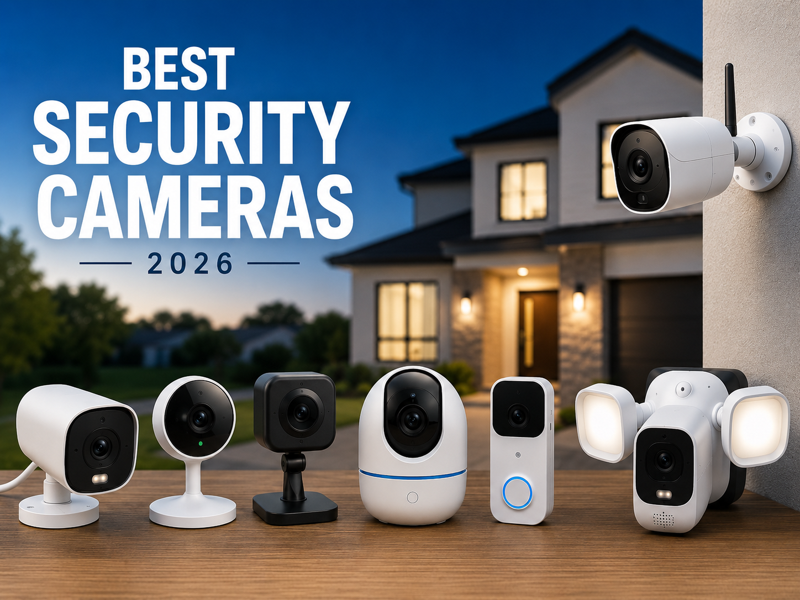
Home security cameras have gone from a luxury to a necessity. Whether you live in an apartment or a house, a good camera system gives you peace of mind 24/7. But with hundreds of options on the market, choosing the right one is overwhelming.
Our team tested over 100 cameras in 2026 — checking video quality, night vision, AI detection, storage, and value. Here are the best ones worth your money.
Quick Comparison
| Camera | Best For | Resolution | Subscription | Price |
|---|---|---|---|---|
| SimpliSafe Outdoor | Burglar deterrence | 1080p HD | Optional | ~$99 |
| Google Nest Cam (Wired) | Best indoor | 2K | Free 6 hrs | ~$129 |
| Ring Stick Up Cam Pro | DIY outdoor | 1080p HDR | $4.99/mo | ~$99 |
| Wyze Cam v4 | Budget pick | 2.5K | Free option | ~$35 |
| Eufy Cam S350 | No subscription | 4K | None | ~$199 |
| Arlo Pro 5S | Premium outdoor | 2K HDR | Optional | ~$249 |
| Blink Outdoor 4 | Cheapest outdoor | 1080p | $3/mo | ~$49 |
Top Camera Reviews
1. SimpliSafe Outdoor Camera — Best for Stopping Intruders
SimpliSafe is the only camera on this list that doesn't just record criminals — it actively stops them. Their Intruder Intervention feature lets a live trained agent watch your camera feed in real time and warn intruders through the speaker: "You are being recorded. Police have been contacted."
Research shows homes with visible security cameras see 60% fewer break-ins. SimpliSafe takes that a step further with human-in-the-loop monitoring.
Best for: Anyone who wants maximum deterrence, not just footage after the fact.
2. Google Nest Cam (Wired, 3rd Gen) — Best Indoor Camera
The Nest Cam has held the top indoor camera spot for years — and the 2026 third-generation model earns that title again. It shoots in 2K resolution, has a massive 152-degree field of view, and offers 6 hours of free local storage even without a subscription. If your internet goes down, it keeps recording.
AI features like person detection, familiar face recognition, and package alerts are built in. Advanced AI requires a Nest Aware subscription, but the free tier is more generous than most competitors.
Best for: Indoor rooms where you want reliable, always-on monitoring.
3. Ring Stick Up Cam Pro — Best DIY Outdoor Camera
Ring is the king of easy setup. The Stick Up Cam Pro comes in battery, wired, and solar versions — you pick what works for your home. Video quality is solid at 1080p HDR with color night vision, and it plugs directly into the Ring ecosystem alongside any doorbell you already own.
At $4.99/month, Ring's cloud storage is one of the most affordable plans on the market.
Best for: People already in the Amazon/Ring ecosystem who want a fast, flexible outdoor setup.
4. Wyze Cam v4 — Best Budget Camera
At just $35, the Wyze Cam v4 delivers 2.5K resolution and vibrant color night vision — specs that cameras double its price struggle to match. Wyze also offers a free plan with 14-day event history, which no other budget brand comes close to.
If you need multiple cameras for a tight budget, buy three Wyze cams for the price of one Arlo.
Best for: Budget-conscious buyers who still want good video quality.
5. Eufy Cam S350 — Best Subscription-Free Camera
Hate paying monthly fees? Eufy is built for you. The S350 records in 4K UHD, stores everything locally on its HomeBase hub, and charges you nothing beyond the upfront cost — ever. Its dual-lens design combines a wide-angle and a zoom lens in one unit, and facial recognition accurately tells apart family members from strangers.
Best for: Privacy-focused users who want full control of their footage without cloud dependency.
6. Blink Outdoor 4 — Best Cheap Outdoor Camera
If $49 is all you want to spend, Blink Outdoor 4 is your answer. 1080p video, a remarkable 2-year battery life, and dead-simple installation make this the easiest entry point into outdoor security. It's an Amazon product, so Alexa integration is seamless.
Best for: Renters, first-time buyers, or anyone who just wants basic outdoor coverage without overthinking it.
What to Look For Before You Buy
Wired vs. Wireless: Wired cameras are more reliable but harder to install. Wireless and battery cameras are flexible but need charging. Solar-powered models are a great middle ground for outdoor use.
Subscription Costs: This is the hidden expense most people miss. Some cameras are cheap upfront but cost $10–$15/month for cloud storage. If you want to avoid ongoing fees, go with Eufy, Lorex, or Wyze's free tier.
Resolution: 1080p is fine for most homes. 2K and 4K give sharper detail — useful for reading license plates or identifying faces from a distance. But resolution alone doesn't matter if night vision is poor.
Night Vision: Look for color night vision over standard infrared if possible. Color gives you much more useful footage in low-light conditions.
Field of View: Aim for 120 degrees or wider. Anything less leaves blind spots in corners.
Two-Way Audio: Lets you speak through the camera — useful for talking to delivery drivers, checking on family, or warning intruders.
Privacy: What These Companies Do With Your Data
Ring has faced criticism for sharing user footage with law enforcement without warrants in the past. Google Nest stores data within Google's ecosystem. Eufy keeps everything local — no cloud, no third-party access.
If privacy is a top concern, the ranking is: Eufy > Wyze (local storage mode) > Lorex > everything else. Always set a strong password, enable two-factor authentication, and keep firmware updated to reduce hacking risk.
Final Recommendation
There's no single best camera for everyone — it depends on your setup, budget, and priorities. Best overall indoor goes to the Google Nest Cam (Wired, 3rd Gen), while SimpliSafe is the top choice for burglar deterrence. For DIY outdoor setup, Ring Stick Up Cam Pro is hard to beat. Budget buyers should go with Wyze Cam v4, and those who want zero subscription costs will love the Eufy Cam S350. The cheapest outdoor option is the Blink Outdoor 4.
Start with your front door and back entry — those are the two most common points of entry. Add more cameras as your budget allows. A good security setup doesn't have to cost a fortune; it just has to be consistent.
Ready to protect your home or business with a professionally installed security camera system? Contact United Security at 1-800-466-3348 to schedule a free consultation. Our certified technicians will assess your property and design the ideal security system — installed correctly from day one.