 Canada

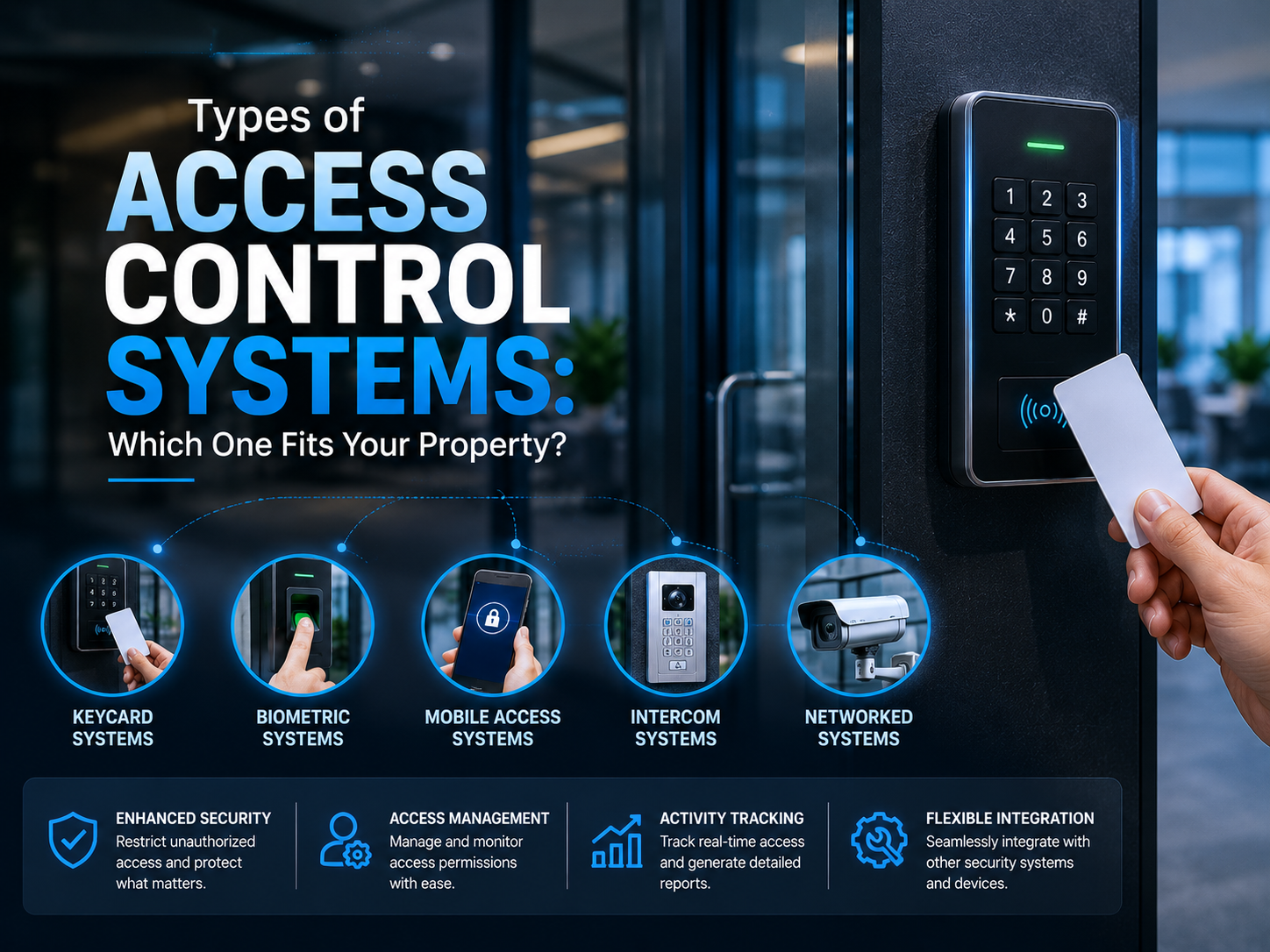
Not every property has the same security needs. A single office door, a multi-tenant building, and a warehouse with vehicle traffic all call for different approaches to managing who comes in and out. Choosing the right access control system isn't just about the hardware on the wall it's about the model that decides permissions, the credential used at the door, and how the system is architected.
Access Control Models: The Foundation of Every System
Before looking at hardware or credentials, it helps to understand the "model" — the logic that decides who gets access to what.
1. Discretionary Access Control (DAC)
The property or business owner has full control over who gets access to which doors, with permissions set individually, person by person.
- Best for: small businesses, single-location offices, and homeowners who want simple, hands-on control
- Trade-off: flexible and easy to set up, but harder to manage as the number of users grows
2. Mandatory Access Control (MAC)
The strictest model. Access levels are set centrally based on fixed security classifications, and access is only granted when a user's clearance matches the door's requirement not even administrators can override it on the fly.
- Best for: government buildings, data centers, research facilities, and other high-security environments
- Trade-off: extremely secure, but rigid and typically overkill for everyday commercial or residential use
3. Role-Based Access Control (RBAC)
Access is tied to a person's role rather than assigned individually. An employee in HR might access personnel files while someone in operations doesn't, regardless of who specifically holds the job — new hires simply inherit the right permissions when added to a role.
- Best for: mid-size to large businesses with defined departments and regular staff turnover
- Trade-off: scales well and reduces admin work, but requires clear role definitions from the start
4. Rule-Based Access Control
Often confused with role-based control, this model relies on conditions rather than job titles — time of day, day of the week, or specific circumstances, such as "warehouse staff can enter only between 6 AM and 6 PM."
- Best for: businesses that need time-restricted access, like retail stores or shared facilities
- Trade-off: adds a useful extra layer of control, usually paired with RBAC rather than used alone
5. Attribute-Based Access Control (ABAC)
The most flexible and granular model, evaluating multiple attributes together — user role, location, device, time, even risk level — before granting entry in real time.
- Best for: large enterprises, healthcare facilities, and organizations with complex compliance needs
- Trade-off: highly precise, but more complex to configure and manage
Types of Access Control by Credential
Beyond the underlying model, systems are also categorized by the credential used to identify a person at the door.
| Credential Type | How It Works | Best For |
|---|---|---|
| Key Card / Fob | User taps or swipes a physical card or fob at the reader | Offices, apartment buildings, general commercial use |
| PIN Code Access | User enters a numeric code on a keypad | Low-traffic entries, backup access method |
| Mobile Credentials | User unlocks the door via a smartphone app or Bluetooth/NFC | Businesses wanting keyless, contactless entry |
| Biometric Access | Fingerprint, facial recognition, or iris scan verifies identity | High-security areas, server rooms, sensitive facilities |
| Multi-Factor Access | Combines two or more credentials (e.g., card + PIN) | Environments requiring extra layers of verification |
Real-World System Types You'll Actually Shop For
Models and credentials explain how access control works — but when you're actually comparing products or vendors, systems are usually marketed by these practical categories.
Biometric Access Control System
Uses a person's unique physical traits fingerprint, facial recognition, or iris scan — to grant entry. Because biometric data can't be lost, shared, or duplicated the way a card or PIN can, it offers one of the highest levels of security available, and is common in server rooms, labs, and other tightly restricted areas.
Door Access Control System
The most common setup for offices, retail spaces, and multi-unit buildings, using key cards, fobs, or keypads at each entry point while logging who entered and when. Many now also support mobile credentials, letting employees unlock doors from a smartphone app.
Gate Access Control System
For properties with vehicle traffic warehouses, gated communities, parking facilities, or industrial yards — a gate system manages entry at the perimeter rather than the building itself, typically using vehicle tags, keypads, or license plate recognition, and is often paired with a door or biometric system for the buildings inside.
Cloud-Based Access Control System
Stores and manages access data online instead of on a local server. Administrators can add or remove users, review logs, and monitor multiple locations remotely from any device, with automatic updates — a popular choice for businesses that want lower maintenance and easier scaling across sites.
Commercial Access Control Systems
Commercial security needs go well beyond a single lock on a single door. These systems handle higher traffic, multiple entry points, and complex permissions managing dozens of doors, elevators, and restricted zones from one platform. This replaces something that doesn't scale: physical keys. Re-keying an office over one missing key is expensive; with a commercial system, a lost credential is deactivated in seconds.
For small and mid-sized companies, the same idea is usually offered as a scaled-down setup a handful of doors with simple role-based permissions giving smaller businesses an affordable way to strengthen commercial security without added complexity.
System Architecture: How It's All Connected
- Standalone Systems: each door operates independently with its own controller ideal for single-door or small-property setups
- Networked Systems: all doors connect to a central panel or server, so permissions are managed from one place across a whole building
- Cloud-Based Systems: access is managed remotely through cloud software, letting administrators grant or revoke access and view logs from anywhere
Which Type of Access Control System Is Right for You?
- Homeowners and small offices: a standalone door system with key card or PIN access, using a DAC model, usually covers everything you need
- Growing businesses with multiple staff: RBAC combined with a networked or cloud-based door system makes managing permissions far easier as the team grows
- High-security facilities: MAC or ABAC paired with biometric credentials offers the strictest, most auditable level of control
- Properties with vehicle traffic: a gate access control system at the perimeter, paired with door or biometric access inside
- Multi-location businesses: cloud-based systems allow every site to be monitored and managed from a single dashboard
Final Verdict
There's no single "best" access control system only the one that matches your property's layout, traffic, and security needs. A single retail store has very different requirements than a multi-building complex, and access control scales to fit both, from the model and credential down to how the system is architected.
At United Security, we help homes and businesses across Toronto and the GTA design access control systems that fit their specific property whether that means a single door, a full commercial building, or a gated site — and we integrate them seamlessly with existing cameras and alarm monitoring.
Not sure which access control setup fits your property? Contact us at 1-800-466-3348 to speak with a security specialist today from United Security and get a free, no-obligation consultation.