 Canada
You installed security cameras for one reason: to actually catch something when it matters. But here's the problem most homeowners and business owners don't think about — a camera that isn't maintained is often no better than no camera at all. Dirty lenses, outdated firmware, a shifted angle, or a failing hard drive can quietly turn your "24/7 protection" into blank footage right when you need it most.
Regular security camera maintenance isn't optional — it's what separates a system that looks like it's working from one that actually does the job. In this guide, we'll walk through why maintenance matters, a practical checklist you can follow, and how often each task should be done — whether you're protecting a home in Toronto or a business anywhere across the GTA.
Why Security Camera Maintenance Matters
Cameras are exposed to dust, rain, extreme heat, and — especially in Ontario — brutal winters with snow, ice, and salt spray. Over time, this takes a toll:
- Image quality drops: dirty lenses, foggy housings, and misaligned angles lead to blurry or unusable footage
- Storage fails silently: DVRs and NVRs can run out of space or fail without any obvious warning, meaning your system stops recording without you knowing
- Cyber vulnerabilities creep in: outdated firmware leaves smart cameras exposed to hacking and unauthorized access
- Coverage gaps appear: storms, growing trees, or something as simple as a spider web can block a camera's field of view
- Insurance and legal claims weaken: if footage is unclear or missing after an incident, it's far less useful as evidence for police reports or insurance claims
None of these problems announce themselves in advance. That's exactly why a routine maintenance schedule matters more than most people realize.
Security Camera Maintenance Checklist
Monthly Tasks
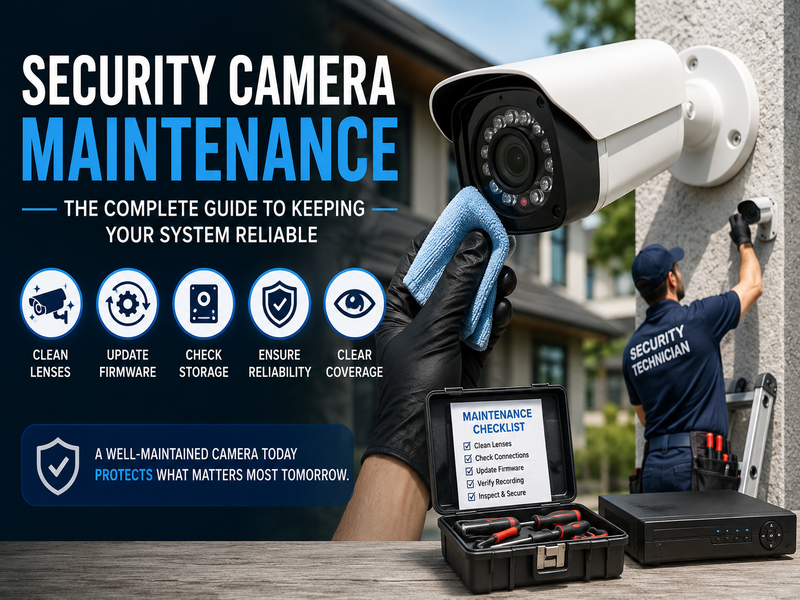
- Clean the lenses: use a microfiber cloth and a proper lens cleaner — never harsh chemicals or paper towels, which can scratch the surface
- Check for obstructions: look for new tree branches, spider webs, snow buildup, or anything blocking the camera's view
- Review live feeds: pull up each camera on your phone or monitor and confirm the picture is clear, focused, and pointed where it should be
- Test night vision: record a short clip at night to confirm infrared performance hasn't degraded
Quarterly Tasks
- Inspect housings and mounts: look for cracked seals, loose brackets, or water intrusion — especially after storms or freeze-thaw cycles
- Check cables and connectors: loose or corroded connections are one of the most common causes of random camera dropouts
- Update firmware and software: manufacturers regularly release patches for both performance and security — don't skip these
- Verify recording and storage: confirm your DVR/NVR is actually saving footage and that storage isn't close to full
Bi-Annual / Annual Tasks
- Full system inspection: have a technician check power supplies, wiring, and overall system health
- Re-evaluate camera placement: renovations, new landscaping, or changes to your property may create new blind spots
- Battery and backup power checks: for systems with battery backup, confirm they'll actually keep recording during a power outage
Common Signs Your System Needs Attention
- Footage looks grainy, dark, or out of focus
- Motion alerts are inconsistent — too many false alarms or none at all
- The camera view has shifted from its original angle
- The app shows a camera as "offline" more than once
- You notice static, water spots, or condensation inside the housing
If you're seeing any of these, it's worth having your system professionally inspected before a small issue turns into a blind spot on the one night it mattered.
DIY Maintenance vs. Professional Servicing
Simple tasks like wiping a lens or checking the app for offline cameras are easy enough to do yourself, monthly, in just a few minutes. But things like firmware updates across multiple devices, storage and NVR diagnostics, cable and connector inspections, or repositioning cameras after storm damage are best left to a professional — especially for business systems where downtime isn't an option.
This is where working with an established provider makes a real difference. At United Security, our technicians handle the technical side of maintenance — from firmware updates to full system health checks — so home and business owners across Toronto and the GTA don't have to worry about their cameras quietly failing in the background. Since 2004, we've helped thousands of Ontario homes and businesses keep their surveillance systems running the way they're supposed to, with 24/7 monitoring and professional support behind every installation.
How Often Should You Maintain Your Security Cameras?
| Task | Frequency |
|---|---|
| Lens cleaning | Monthly |
| Live feed check | Monthly |
| Firmware updates | Quarterly |
| Cable/connector inspection | Quarterly |
| Storage/DVR check | Quarterly |
| Full system inspection | Bi-annually |
| Camera repositioning review | Annually or after major property changes |
Final Verdict
Security cameras are only as good as the care behind them. A few minutes of cleaning each month and a proper quarterly check can be the difference between clear evidence and a blank screen when it counts. Whether you're maintaining an existing setup or thinking about upgrading to a newer system, staying on top of maintenance protects the investment you've already made in your safety.
If you'd rather leave the technical upkeep to professionals, United Security offers ongoing support and monitoring for home and business security systems across the GTA — so your cameras are ready whenever you need them.
Not sure if your system needs a checkup? Contact us at 1-800-466-3348 to speak with a security specialist today from United Security and get a free system health check.